 Vessel
Learn with Vessel
A useful next step.
A little help along the way.
Real guides. Real screens. The details that help you make something good.
Find a place to begin.
One useful result at a time.Find your feet
Your account, your first source and a workspace that makes sense.
02Make the first thing
Choose a complete thought and make a clip with intention.
03Make it feel like you
Keep your voice, your brand and the details that matter.
04Carry it into the week
Bring a message into an email your community can use.
A few good first steps.
All guides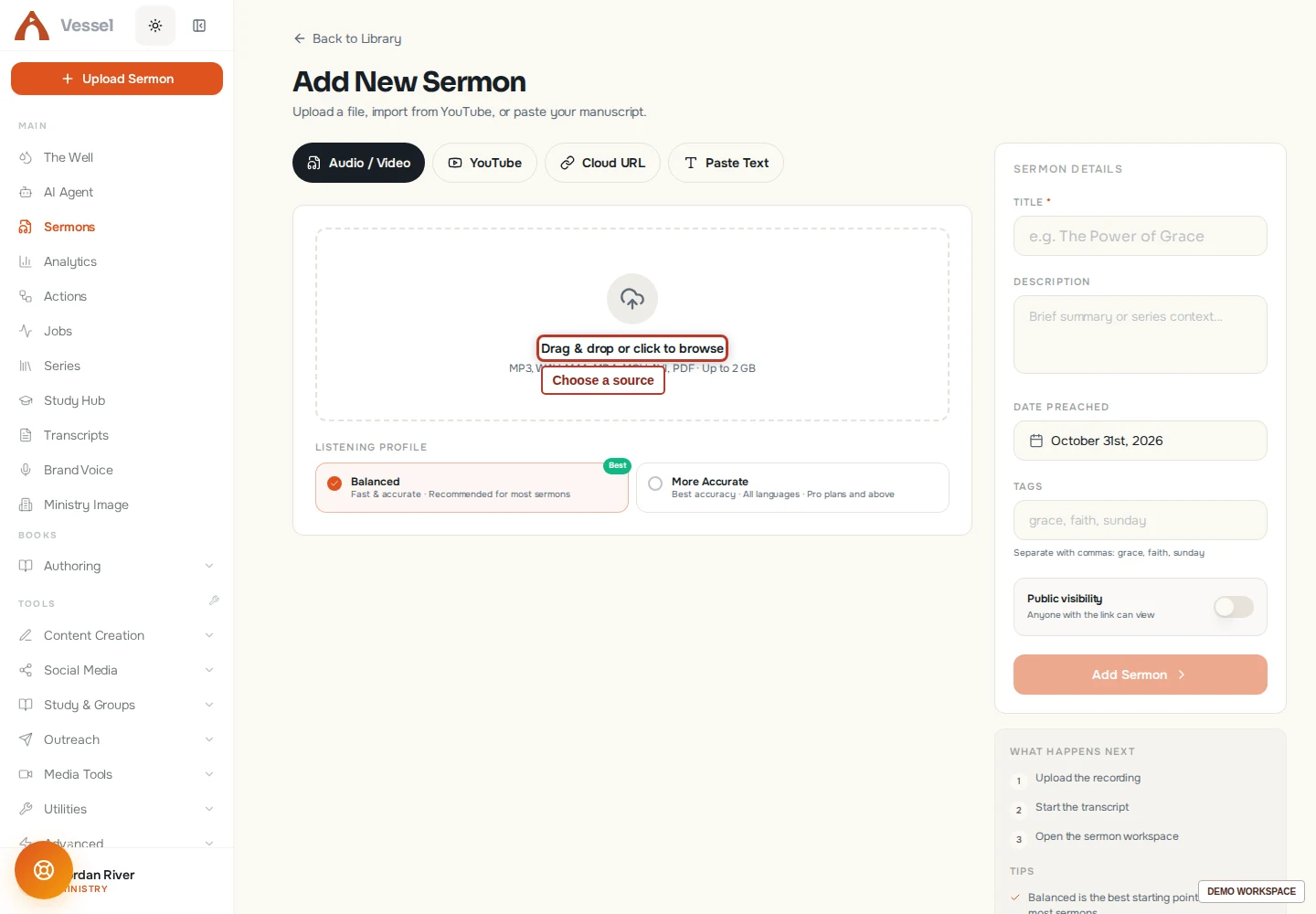 A practical guide
Upload your first sermon
Bring a recording, public YouTube link, cloud link, or manuscript into your library.
5 min readEdit a moment in Clip Studio
Refine the cut, captions, framing, and sound before export.
4 min readTurn a sermon moment into an EmailAI newsletter
Connect a finished clip with a useful email and review the entire reader journey.
4 min readThe whole library.
35 guidesSet up your account and profile
Find your account settings and keep your details current.
4 min readConnect a source or content calendar
Give an Action a source and schedule you can maintain.
3 min readBuild your first Action
Create a repeatable workflow and review its runs.
3 min readManage your plan and points
Find your balance, current plan, storage, and renewal controls.
2 min readEdit a sermon-based book
Turn spoken material into a coherent reading experience.
2 min readMake captions readable and accurate
Review words, timing, and placement for a more accessible clip.
3 min readChoose the right tool for your message
Match the source and outcome to the right Vessel workspace.
2 min readStart a book from your writing
Choose a starting structure and turn your material into an editable manuscript.
3 min readCreate a sermon carousel
Turn one idea into a sequence of readable slides.
3 min readCreate a devotional reading plan
Start from a topic, sermon, series, or your own writing.
3 min readChoose and create a sermon moment
Turn a complete thought from a video sermon into a short clip.
3 min readCreate an audiogram from a recording
Pair a short audio passage with a visual for sharing.
3 min readMake your first design
Build a visual from a canvas, template, and your own content.
4 min readDesign and share a devotional
Review the reading experience before giving it to others.
2 min readEdit a moment in Clip Studio
Refine the cut, captions, framing, and sound before export.
4 min readReview and send an email
Check recipients, connection, and content before delivery.
3 min readCreate your first email in EmailAI
Draft, review, and prepare an email for your audience.
4 min readPrepare an Outreach campaign
Prepare a campaign, review the audience and send a test before confirming delivery.
4 min readReuse an email template or signature
Keep recurring communications consistent while reviewing each message.
2 min readFind and manage your content
Keep sermons and projects recognizable and easy to retrieve.
3 min readTurn a sermon moment into an EmailAI newsletter
Connect a finished clip with a useful email and review the entire reader journey.
4 min readTroubleshoot a clip
Resolve common source, editing, and export problems.
2 min readReview and correct a transcript
Improve the source text before creating derivative content.
3 min readOrganize a sermon series
Group related messages and use their shared teaching arc.
3 min readStart with Vessel
Set up your workspace and choose a first outcome.
3 min readUnderstand storage and recover work
Check usage and protect work before removing files.
3 min readWork with your team
Give people appropriate access and review handoffs.
2 min readCreate and review a translation
Prepare a language edition with terminology and human review.
3 min readReview translated subtitles
Check meaning and timing before sharing another language edition.
2 min readTroubleshoot common workspace issues
Work through connection, source, saving, and generation problems.
2 min readUpload your first sermon
Bring a recording, public YouTube link, cloud link, or manuscript into your library.
5 min readWork with the Vessel agent
Describe the outcome, provide context, and review the work.
4 min readCreate a draft with Writing AI
Use a source, clear brief, and review to produce useful written work.
4 min readCreate and use a writing persona
Give drafts a consistent voice while keeping editorial control.
3 min readAsk for an editorial review
Get a second look at structure, clarity, scripture, or audience fit.
2 min readYour next useful thing
Read a little.
Make something yours.
The workspace is ready when you are. Start with one message and one result.
Open your next possibility